


 Healthcare
 Manufacturing
 Hospitality & Travel


 Manager Enablement
 Performance Reviews
 Employee Experience


 WHY MACORVA

HR functions spend about 60% of their time on administrative work rather than strategic work, , and the reason rarely comes down to priorities.. It comes down to volume, and to the number of systems a single request has to cross before it's finished.
Most of that time goes to work nobody would call difficult. Someone picks each request up, carries it to the next place, confirms it landed, and notices when it didn't, over and over, all day.
HR workflow automation closes those gaps, though not every process belongs in one. Some of the most frustrating ones resist automation entirely, because the decision inside them is a judgment call that only looks like a rule from the outside.
The ones that do fit tend to share three things: they repeat often enough that the time adds up, the decision behind them follows rules you could write down for a new hire, and the delay between a request arriving and being resolved costs something you can actually name.
Here are eight processes your organization can run as AI workflows, in the order worth starting.
What HR Workflow Automation Actually Means
Four things have to happen without a person in the middle. The system has to connect to the data where it already lives so nobody is looking anything up, and it has to evaluate what's happening across those sources continuously rather than waiting to be asked. From there it applies your business rules to work out what should happen next, then carries that step out in whichever system owns it.
Take any one of those away and you end up with something more familiar: connection without evaluation gives you a dashboard, evaluation without action gives you a report, and rules with no live data behind them are a policy document nobody opens.
Most HRIS platforms handle that last part well enough, moving a record from one status to the next once someone clicks. The first three are where the gap sits, because something still has to notice an event, decide what it means, and set the response going.
That gap is also what separates this from the last generation of tools. Robotic process automation in HR repeats a fixed sequence and stops the moment an input arrives in a shape it doesn't recognize. Intelligent automation for HR reads the variation instead, so a request an employee wrote in their own words still lands in the right place.

1. Onboarding Task Orchestration
Onboarding is a coordination problem that HR owns without controlling. The tasks belong to IT, facilities, payroll and the hiring manager, but the list belongs to HR, and so does the chasing. A coordinator opens a checklist the day a start date is confirmed, then spends two weeks sending reminders into four different systems and waiting on replies that come back at four different speeds.
Run as a workflow, the confirmed start date fires every request at once. The laptop order reaches IT, the desk request reaches facilities, the tax forms reach payroll, and each one arrives in the tool that team already works in. Completions report back on their own, so only the stalled items need a person, and they surface a week out rather than on the morning itself.
Be careful what you let count as done. A workflow that sends the notifications but still waits on someone to tick each task off has moved the chasing rather than removed it.
2. Employee Request Intake and Routing
Every HR team has an intake problem, whether or not anyone calls it that. Questions arrive by email, by chat, through a form, and sometimes as a tap on the shoulder, and each one has to be read before anybody knows whose it is. A question about a paycheck deduction might belong to payroll, or benefits, or neither.
Automated intake reads each request as it lands, works out which team owns it, sets priority, opens the case and confirms receipt to the employee immediately. What was a triage queue becomes a routing decision made once, at the door.
Routing fast and wrong costs more than routing slowly, because the clock restarts and the employee has already been told it was handled. The requests the system cannot confidently place need a path to a person, not a best guess.
3. Document Collection and Verification
HR collects documents constantly, and most of them carry a condition. A professional license has an expiry date. A signed policy acknowledgment belongs to a specific version of that policy. A training certificate only counts if it covers the right course. Checking those conditions is quick, but doing it a few hundred times a year adds up.
Run as a workflow, a license arrives as an attachment and gets read for credential type and expiry date, matched to the employee it belongs to, filed, and given its own renewal reminder ninety days out. Nothing waits for someone to open the attachment and notice what it was.
Verification failures are quiet, which is the risk here. A misrouted ticket shows up within a day, but a license logged against the wrong expiry sits in a record until an audit, so anything the system cannot read cleanly should go to a person rather than into the file.
4. Policy and Benefits Questions
The same questions arrive every month, worded differently every time. How much parental leave am I entitled to, is this procedure covered, when does my benefit year reset. Answering them takes accuracy rather than thought, which is exactly the kind of work that fills a week without ever looking like a priority.
A workflow answers these from your own policy documents, logs the answer against the employee record, and sends anything involving an exception or a personal circumstance to a person instead of attempting it.
Watch how this gets measured. Deflection rate, the share of questions resolved without a person, is the number these systems are usually judged on, and on its own it tells you very little. A confident wrong answer about coverage costs far more than the minute it saved, so track accuracy alongside it or the headline number will flatter a problem.

5. Approvals and Exceptions
Approval is really two jobs sharing one name. Most requests sit inside policy and never needed a decision at all, only a signature: the leave request with enough balance behind it, the expense within limit. The rest sit outside policy and genuinely need someone to weigh them. Treating both the same way is why approval queues form.
Run as a workflow, in-policy requests are approved and recorded without anyone opening them, while exceptions reach the right approver with the policy, the history and the reason for the flag already attached.
Where you draw that line is the whole decision. Set it too wide and real judgment calls get approved without anyone looking at them, too narrow and the queue comes straight back.
6. Compliance Checks and Audit Trails
Certifications, training completions and policy acknowledgments usually get reviewed in batches ahead of an audit, which leaves the months in between unexamined by design. Something that lapses in March gets found in November, and the gap is only visible in hindsight.
Run as a workflow, every record is checked as it currently stands rather than sampled. Expiry dates generate their own reminders, lapses escalate on their own, and the state of the population is a query rather than a project.
Checking continuously is only half of it. The other half is showing an auditor what was checked, when, and against which version of the policy, because a trail that is not captured as it goes does not count for much afterwards.
7. Manager Escalations
The signals that predict a problem are rarely held in one system, which makes this the least obvious process here. Absence data sits in the HRIS, declining engagement scores sit in a survey platform, and an open grievance sits in a case management tool. On its own none of the three would move anyone to act, but together they describe someone about to resign, and because no single system holds all three, the connection usually gets made after the resignation letter has arrived.
Run as a workflow, those sources are evaluated together, and the combinations that warrant attention reach the right leader as a short brief with the underlying detail attached, rather than as a dashboard somebody has to remember to open.
Start with two or three combinations your team already knows matter, rather than everything the data could theoretically surface, because volume is exactly how this turns into noise that managers learn to skip.
8. Offboarding and Access Recovery
A departure sets off revocations across half a dozen owners at once: systems access with IT, building access with facilities, devices, expense cards, shared accounts. Each one belongs to somebody different, so items get missed, and a missed revocation surfaces in an audit or an incident rather than in a status meeting.
Run as a workflow, the departure date triggers revocation across every connected system simultaneously, confirmation is tracked against each one, and anything still outstanding escalates before the last working day.
This process goes last for a reason. It touches security, which is the wrong place to discover that a connection was unreliable, so automate it once the earlier processes have proven the integrations hold, and keep a human sign-off on the final confirmation.

What Changes When HR Processes Run as Workflows
The benefits of HR automation get counted in hours saved, which understates the change.
Queues stop forming in the first place, because requests are evaluated as they arrive instead of when someone finally reaches them. Context also arrives with the case, so when something does reach a person, the history, the policy and the recommended next step come with it. Nobody opens four systems to understand one issue.
Less visibly, things stop sitting unnoticed. Continuous evaluation catches what matters across high volumes of routine activity instead of depending on someone spotting a pattern in a monthly report, and the audit trail becomes a byproduct of that rather than a project of its own.
The hours come back too. The bigger change is where they go, and the pattern is visible in functions that started earlier. When Gartner surveyed 321 customer service leaders, 85% said that as AI absorbed routine volume they gave frontline staff more responsibility rather than fewer people.
Turn Everyday Processes Into AI Workflows That Decide and Act
What to Look For in HR Automation Software
Plenty of HR automation software looks impressive in a demo but never makes it into daily use, and that gap is where the money goes. Gartner expects over 40% of agentic AI projects to be canceled by the end of 2027, citing escalating costs, unclear business value and inadequate risk controls, and estimates that of the thousands of vendors calling themselves agentic, around 130 genuinely are.
That's not an argument against automating, it's an argument for four questions.
Does it read from and write to your systems of record? Automation that produces a report for someone else to act on hasn't removed the handoff, so the ticket has to actually exist, the record has to update, and the access has to come off.
Do your business rules govern the decisions? Generic logic produces generic outcomes you can't explain later, whereas rules of your own setting the limits on what the system can conclude keep the decision defensible six months on.
Does a person stay in the loop where it matters? Gartner's read on the market is that enterprises are moving from AI that assists to AI with delegated authority, acting within policy and identity constraints while people supervise outcomes. Approval and escalation should be configurable per process, not all or nothing.
Is it already running in production? Queues, retries, permissions and monitoring are unglamorous, and they are what separates a pilot from a system. Gartner also expects 70% of enterprises to walk away from agentic AI that a vendor custom-built for them by 2028, which is a reason to prefer a platform already running the pieces you need over a build that starts from nothing.
Whichever platform you evaluate, check its integration list against the systems you actually run because every one of the eight processes above depends on those connections holding.
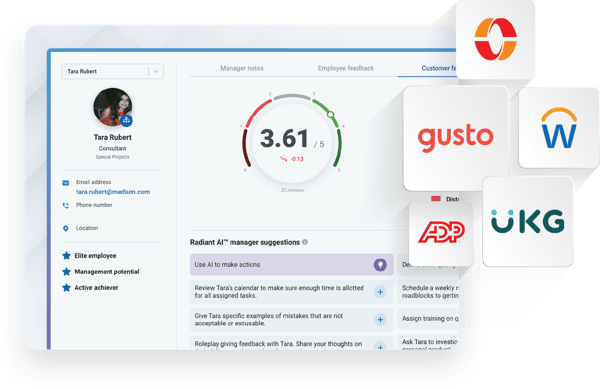
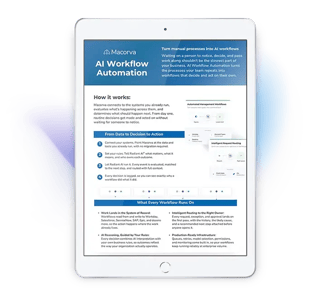
Macorva reads from and writes to Workday, SAP SuccessFactors, ServiceNow, Salesforce and dozens more. New workflows run on the same AI engine already powering its performance reviews and action plans, so companies can build on proven capabilities instead of starting from scratch.
Frequently Asked Questions
Where to Start
Pick one process your team runs every week, then map what happens from the moment a request arrives until the work is done. Count the handoffs along the way, because that's where the workflow takes shape.
Our AI Workflow Automation overview breaks down what happens behind the scenes, how workflows are built, and which teams benefit most. Or for a closer look at how Macorva connects the tools your team already uses, explore how it works across connected systems.